Invite first
Most services let you add us as a helper on your account. We sign in as ourselves, and you can remove us whenever you like. No password changes hands.
 Risen Dust
Free consultation
Client privacy
To build or fix your website, we need a way into a few of your accounts. Here is exactly how we get it, what we can and can't see, and what happens to anything you share once the job is done.
What to expectHow we protect you
Web work needs access to a domain, a website builder or a Google listing. None of it needs your password sitting in an email or a text thread.
Most services let you add us as a helper on your account. We sign in as ourselves, and you can remove us whenever you like. No password changes hands.
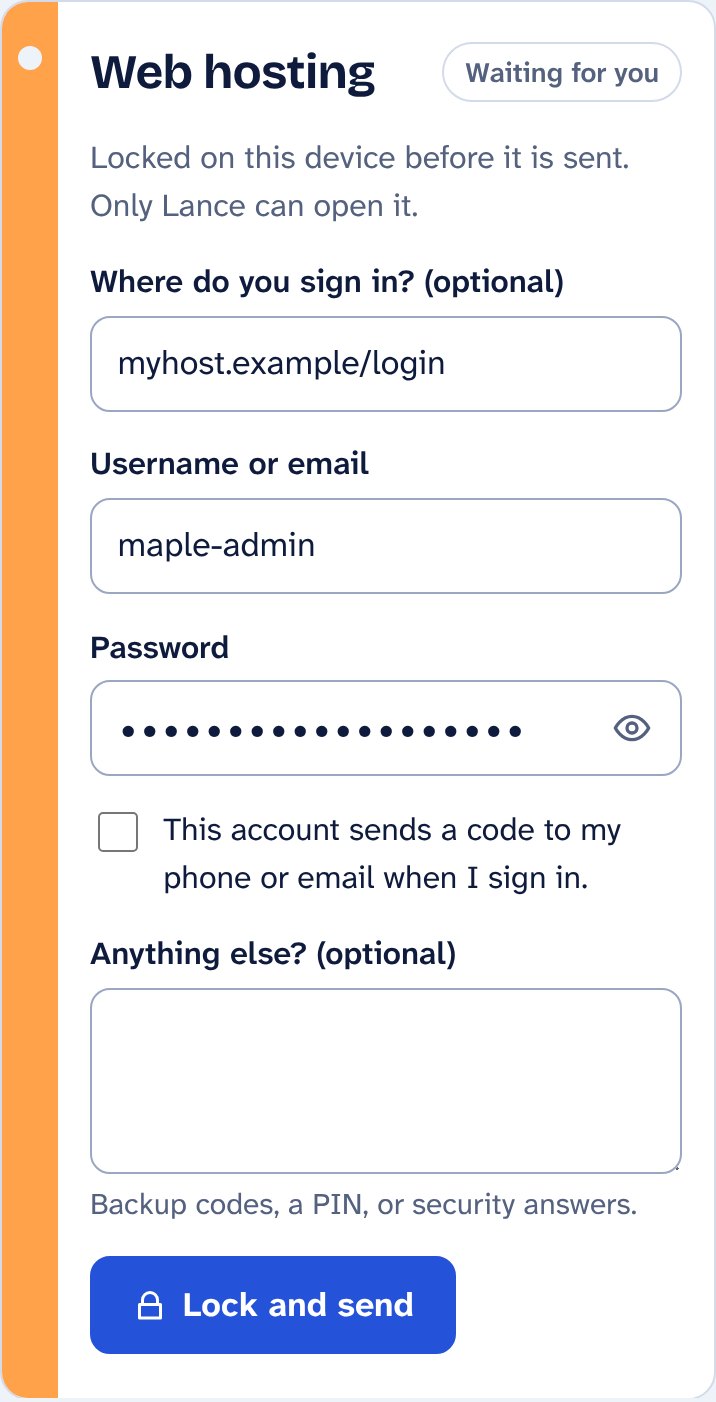
When a service has no invite option, you type the login into a private page. It is scrambled on your own device before it is sent, so it never travels or sits anywhere in readable form.
Only we hold the passphrase that unscrambles what you send, and it is never sent to or stored on the website. Someone who broke into the database would find scrambled text, not passwords.
We keep a login only as long as the work needs it. When the job is finished we delete it, and remind you to change that password and remove our invite.
What you'll see
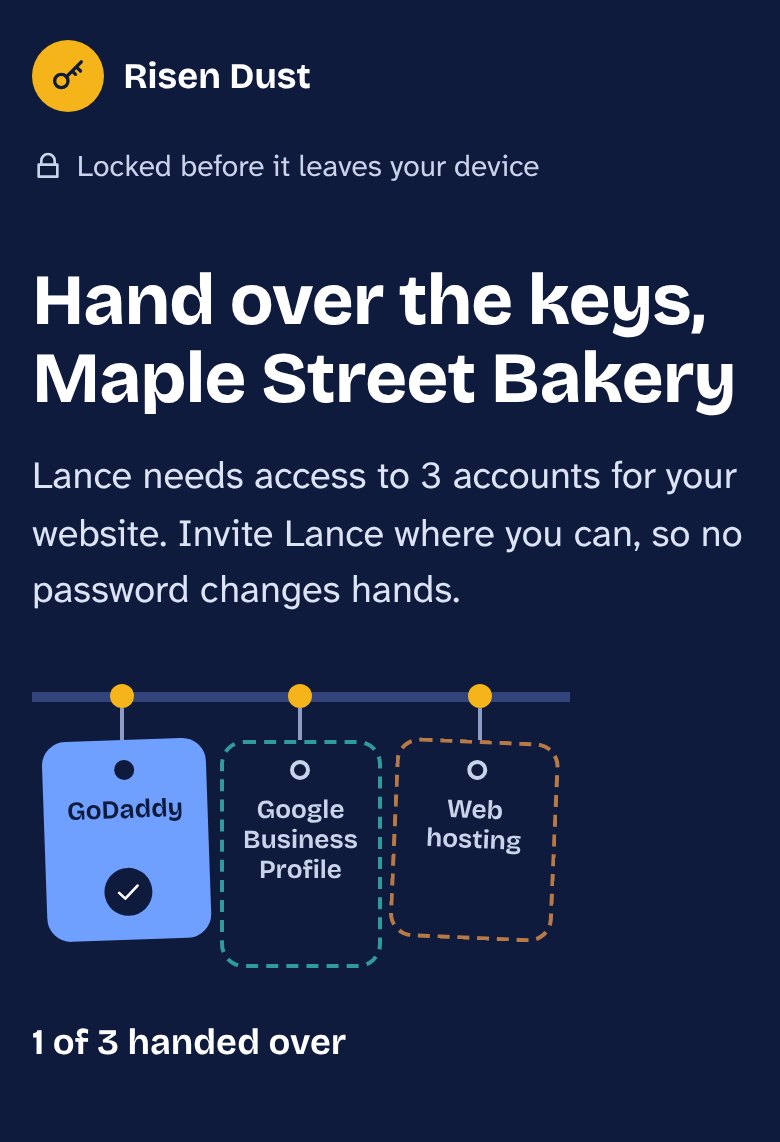
It lists only the accounts we talked about. Each one fills in as it is handed over, so you always know what is left.
What to expect
You do this once, from your phone, whenever it suits you.
We agree which accounts the job needs first, so you never get a link out of the blue. It opens a page with your business name and only those accounts, and it expires on its own.
Each account shows short steps for adding us as a helper. If that isn't possible, you type the login and it is locked before it leaves your phone.
Your page shows when access is working. When the job is finished we delete any login you sent and remind you to change that password.
Frequently asked questions
Usually not. GoDaddy, Squarespace, Wix, Shopify, WordPress, Google Business Profile and many others let you invite us as a helper on your account. We sign in with our own account and you keep your password to yourself.
Then you type the login into your private page. It is scrambled on your own device before it is sent, and only we hold the passphrase that unscrambles it. We never ask for passwords by email, by text or over the phone.
We ask for the lowest level of access that gets the job done. On GoDaddy, for example, an invited helper can work on your domain and products but cannot see your payment methods or your password.
We delete it. We also remind you to change any password you shared and to remove our invite if you no longer need us, so nothing is left open.
You will be expecting it, because we only send one after we have spoken. The address always ends in risendust.com. If a link arrives that you were not expecting, or the address looks different, do not open it. Call us first.
No, and please leave that turned on. Inviting us avoids the code altogether. If we do need to sign in with your login, tick the box on your page and we will set a time in advance. Never give a code to anyone who contacts you unexpectedly, even if they say they are from us.
Nothing online is, and we won't pretend otherwise. What we can do is keep the risk small: an invite instead of a password wherever possible, scrambling anything that must be sent, keeping it only as long as the job needs, and asking you to change it afterwards.